
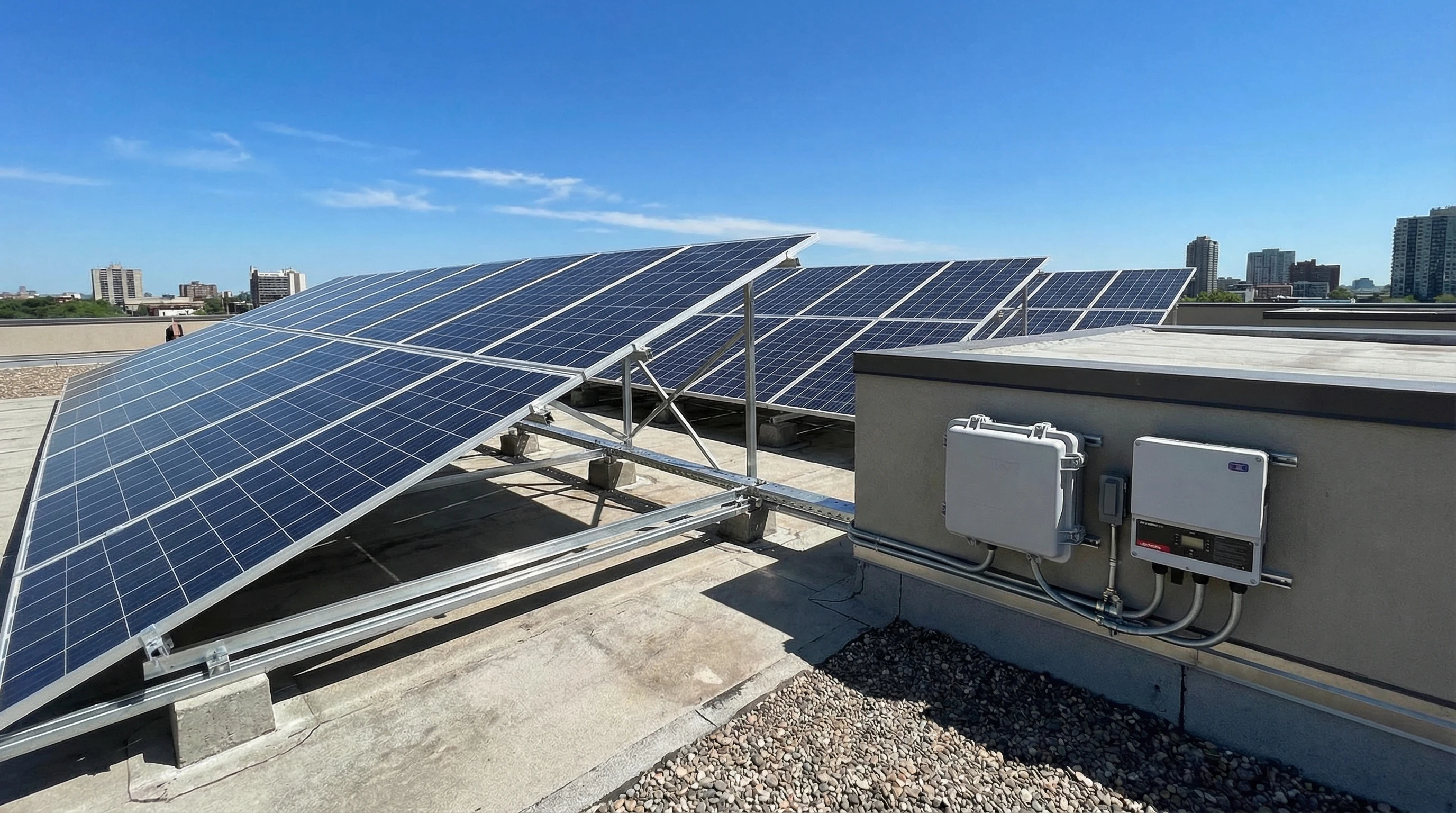
Solar panels make it possible to have reliable backup power during an outage. Looking for a straightforward way to keep your lights on during an outage? Want to reduce your dependence on utility electricity? Solar backup systems are a solid choice. Even with limited space or a modest budget, you can still reap the rewards of solar power during emergencies or blackouts. I’m sharing a clear guide that breaks down how to use solar panels for backup power, key safety tips, and practical answers to some of the top questions buyers have.
Here’s what I’ve learned from working with solar energy at home and helping friends and family set up their own backup systems over the years.
Planning Your Solar Panel Backup Power System
A little planning goes a long way with a backup system. The exact setup you need depends on what you want to keep powered during an outage. What electronics or appliances are priorities, and your local weather or sunlight hours. Start with a list of essentials, for example, the refrigerator, some lights, medical equipment, the Wi-Fi router, and charging ports for phones.
Essential Components You’ll Need
- Solar panels: These collect energy from sunlight and convert it into usable electricity.
- Charge controller: Keeps your batteries from being overcharged and regulates voltage for safety.
- Solar battery storage: Stores extra solar energy so you have power even when it’s dark.
- Power inverter: Changes your battery’s direct current (DC) into household alternating current (AC) so you can use your appliances.
You can buy these parts separately or opt for an all-in-one solar generator that combines the battery, charge controller, and inverter in one box. I’ve used both options; the all-in-one models are much easier to set up, especially for those just starting out.
- Check out: Top 5 Portable Solar Generators For Emergency Preparedness
- Check out: 5 Affordable Solar Kits For Beginners
How to Set Up a Safe and Effective Solar Backup System
When dealing with electricity and batteries, safety comes first. Correctly connecting your system protects you, your appliances, and the system itself.
Essential Safety Tips
- Use equipment that is certified for safety, like UL listed inverters and batteries.
- Follow the manufacturer’s instructions closely for all wiring and connections.
- Place batteries in a dry, well ventilated spot, away from direct sunlight and heat.
- If you’re unsure about any step, ask a qualified electrician for help.
- Install a fuse or breaker between the battery and inverter to help protect against short circuits.
Very important: If you plan to connect your solar backup to your home’s main wiring, rather than plugging devices straight into your inverter, you need a transfer switch. That way, your backup power stays safely separate from the grid, eliminating the risk of sending electricity back into power lines and potentially harming line workers.
Choosing the Right Size and Type for Your Needs
I recommend making a list of items you’ll want to keep running during an outage. Look up their wattage, add the numbers together, and multiply by the number of hours you plan to use them. This shows you the energy (in watt-hours or kilo-watt-hours) your system needs to supply.
Sample Calculation
- LED light: 10 watts
- Wi-Fi router: 12 watts
- Phone chargers: 10 – 20 watts each
- Refrigerator: 150 watts (runs on and off, so estimate 4 hours a day for intermittent use)
After totaling up the wattage, I pick a storage battery system size that covers these needs, adding a safe margin as a buffer. Solar panels should be sized big enough to recharge that battery during a typical sunny day.
If your available space is limited, you can start small and add more panels or bigger batteries as needed. Modular kits make this simple for gradual upgrades.
Can I Have Solar Backup With Limited Space?
It’s common for people to worry about fitting solar on their roof or patio. But even in smaller spaces, or even an apartment, I’ve seen solar do a great job for backup if your main goal is to keep just some basics running, like a few lights, your phone charger, and router. Portable panels can easily be set outside on sunny days and packed away when you don’t need them. Flexible panels fit on balconies or smaller rooftops, and there are foldable options that can be moved around as needed.
It pays to adjust your goals to match the space you have. Instead of running the entire house, think about which rooms or items truly matter most during an outage. Many small backup power stations can keep lights on and phones charged for several days with only one compact, wall mounted panel.
- Check out more on: Portable Solar Power
Upgrading To Full Off-Grid Solar Power
A lot of buyers ask if it’s easy to expand from a basic solar backup to a full off-grid system. If you start with modular, expandable equipment, such as an inverter and batteries, the process is much smoother. Choose systems that are expandable and support extra solar panels, bigger batteries, or combining multiple units together.
Going full off grid requires more solar panel capacity and extra battery storage compared to a simple backup setup. You also need to consider running more wiring, adding safety features, and sometimes professional installation. Building experience with a backup system first is a great way to get a feel for solar before making a big leap to complete independence from the grid.
Using and Maintaining Your Solar Backup System
Compared to gas generators, solar backup systems are low maintenance. Keeping your panels clean, checking the battery charge, and making sure connections stay tight can help you avoid most issues. Every few weeks, I look for dust or bird droppings on the panels and wipe them with a soft cloth and water. Lithium batteries need very little attention, just keep them in a dry, clean place. Other types, like wet cell lead acid, may need their water levels checked and shouldn’t be discharged completely.
The charge controller, inverter, and wiring usually only need an occasional check up after installation. Keeping system status displays and control panels easily visible and accessible is helpful. Many systems now include a mobile app to aid in monitoring and receiving alerts.
Common Questions and Answers
Is Solar Backup Power Safe?
Solar backup power is safe when installed with proper equipment and safety steps. Reading the instructions carefully, inspecting for damage, and asking an electrician for help if you’re not sure can help lower risk.
What Happens If It’s Cloudy for Many Days?
Most backup setups are meant for short term outages. If you have a run of cloudy days, batteries could run down. Plan on using bare minimum power like keeping your phone laptop charged. Some people add a small conventional generator, or use grid power to top up batteries if needed.
Can I Plug My Whole House Into a Solar Backup System?
Powering a whole house takes a bigger investment, lots more panels, and complex wiring. For most people, it’s best to stick to the essentials at first to keep costs down and easy to manage.
Can I Add More Panels or Batteries Later?
Yes, most current systems can grow with your needs. Just double check the specifications when shopping and choose models that support panel or battery expansion.
My Practical Tips for a Reliable Solar Backup
- Start with a clear list of what you really need to power during outages.
- Choose a backup kit or generator sized for your needs for at least two to three days of use.
- Put portable panels in the sunniest spots and keep them clean for best results.
- Check your system’s status weekly and make sure your emergency items stay charged.
- Pick equipment from brands with strong reviews and a track record for safety.
Solar backup power has given me genuine peace of mind during storms and outages, and I like knowing I’m getting clean energy even when the rest of the grid is down. With smart planning and the right setup, it’s simple to keep phones, lights, and the fridge going until things get back to normal. As solar technology gets better and more affordable, it’s easier than ever for nearly anyone to build a simple, reliable backup setup and take charge of their power needs.